Transaction Details
The Transaction details page displays information about a single transaction. You can preview information without downloading a CSV. If you wish to share a particular transaction you can use the Screenshot button.
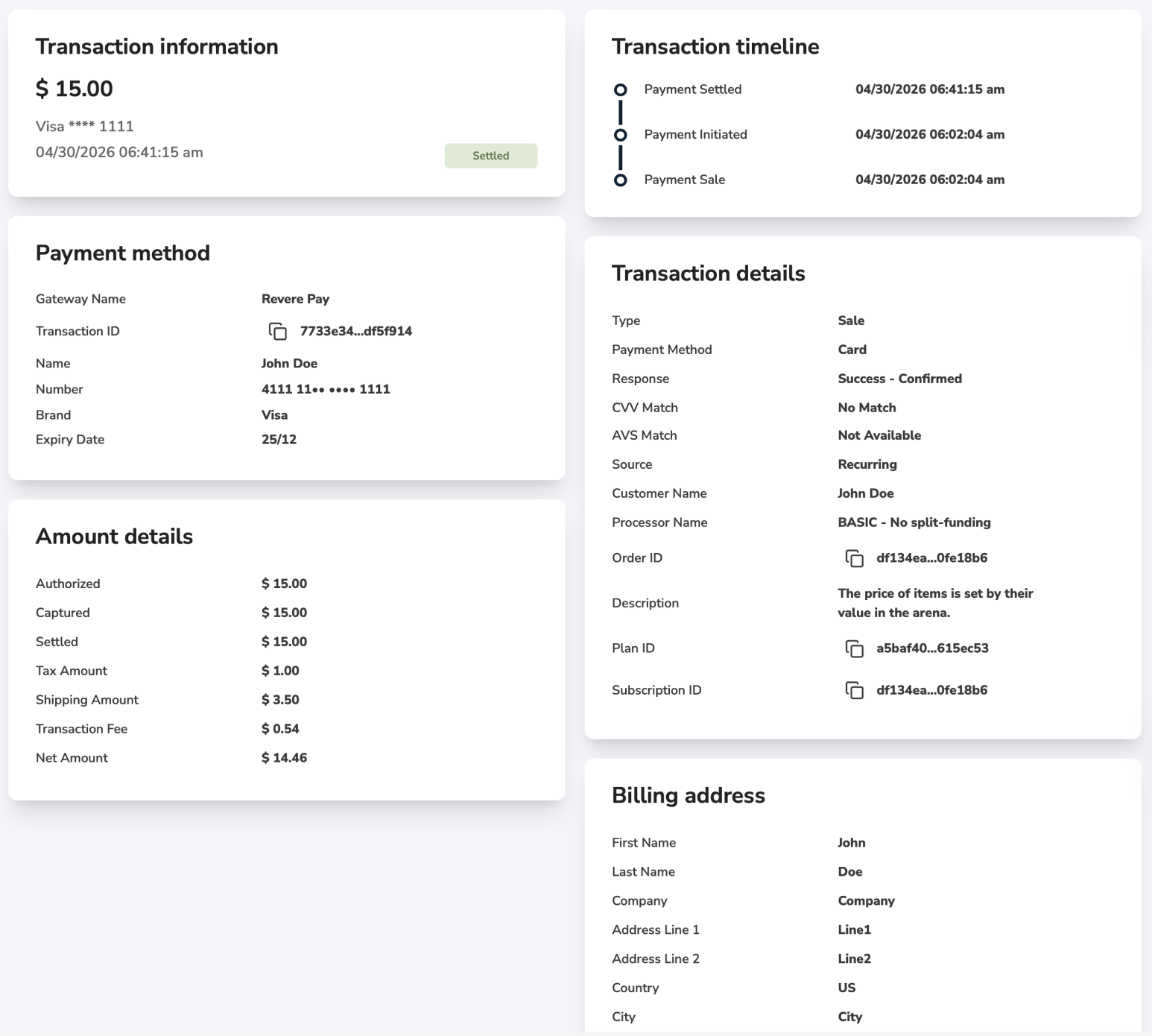
Transaction Information
Amount: Currency and amount of the transaction.
Payment: Masked number related to the payment method. If it is a card transaction, the card brand is also displayed.
Date: Last updated date of the transaction.
Transaction Timeline
Events related to the transaction, arranged in a descending order.
Payment Method
Details related to the transaction. It displays the name of the gateway, transaction id and payment method related details.
Amount Details
Amounts related to the transaction. Depending on the type of the transaction it can include Authorized, Captured, Settled, Refunded and Tax amounts. It always has a Transaction Fee and a Net Amount in it, which equals the amount you receive to your wallet. If split funding was involved, Commission Amount is also added to the list.
Transaction Details
Additional information about the transaction. It includes details about Responses, transaction features, IDs and processor related data.
Custom Fields
If at least one custom field has been provided for a transaction, a Custom fields card is also added to the transaction details page. Your Key and Value pairs are displayed here.
Commission Details
If split funding was involved, a Commission details card is also added to the transaction details page. Name of the Affiliate partner and Commission amount are displayed.
Billing Address
Billing address details related to the transaction.
Shipping Address
Shipping address details related to the transaction.