Batch upload transactions
Upload a CSV file to batch process wallet to wallet transactions without having to use our endpoints.
Please be aware that this feature requires a Batch Upload Manager permission.
Uploading a CSV file
We have included an example file for your easier processing: batch_upload_example.csv
Step 1
Go to Wallet and click on the
Batch Uploadicon.Step 2
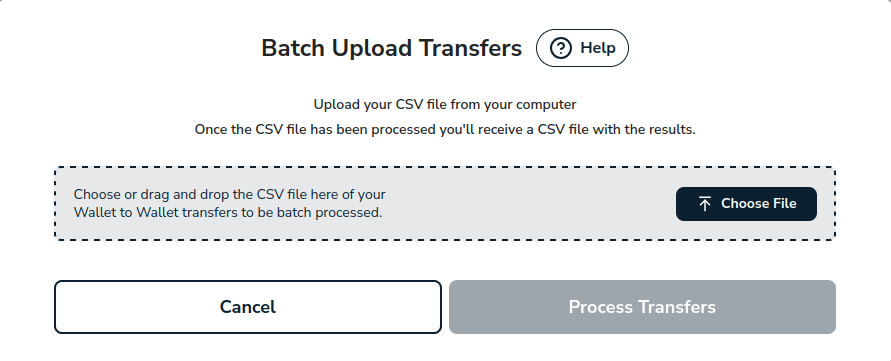
A modal will be displayed. Upload your CSV file from your computer.
Step 3
Confirm you have uploaded the right file by checking the file name in the modal.
Step 4
Click on
Process Transfersbutton.Step 5
Open the CSV file to see the result of your wallet to wallet transactions.

Batch Upload limitations
Please be aware that you can only upload 100 transactions per file.
The description field accepts a maximum of 255 characters.
Amounts per row are limited to a minimum of $1.00 and a maximum of $100,000.00.
Please be aware that once we start processing a CSV file, it cannot be undone.