Fund your Wallet
Fund your Wallet using your connected bank account or an other account's Wallet.
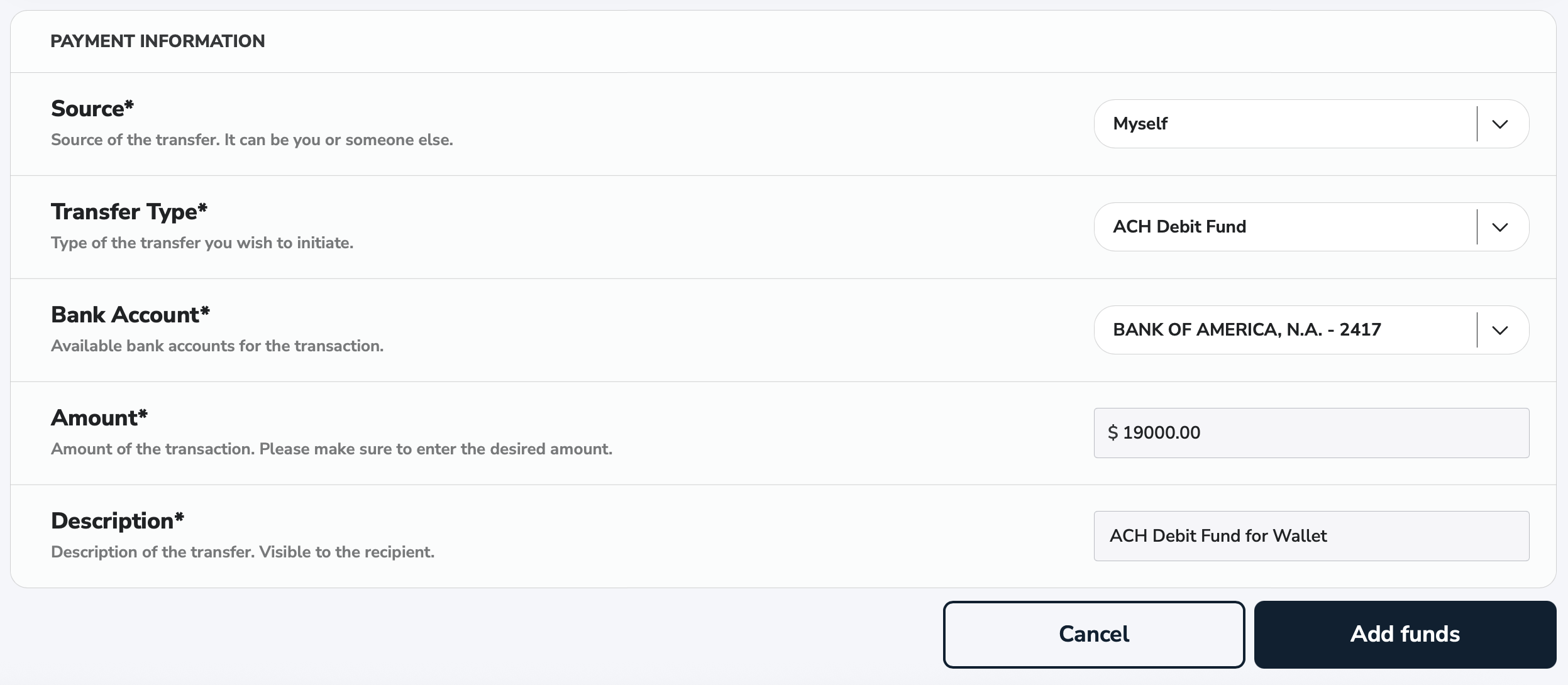
ACH Debit Fund
To add funds to your Wallet from your connected bank account, click on the Fund button in your Wallet card.
-
Source: Source of the transfer you wish to initiate. Choose
Myself. -
Transfer Type: Type of the transfer you wish to initiate. It can be
ACH Debit Fund. -
Bank Account: Choose one of your connected bank accounts as the source of the transfer.
-
Amount: Amount of the transfer you wish to initiate.
-
Description: Description of the given ACH Debit Fund.
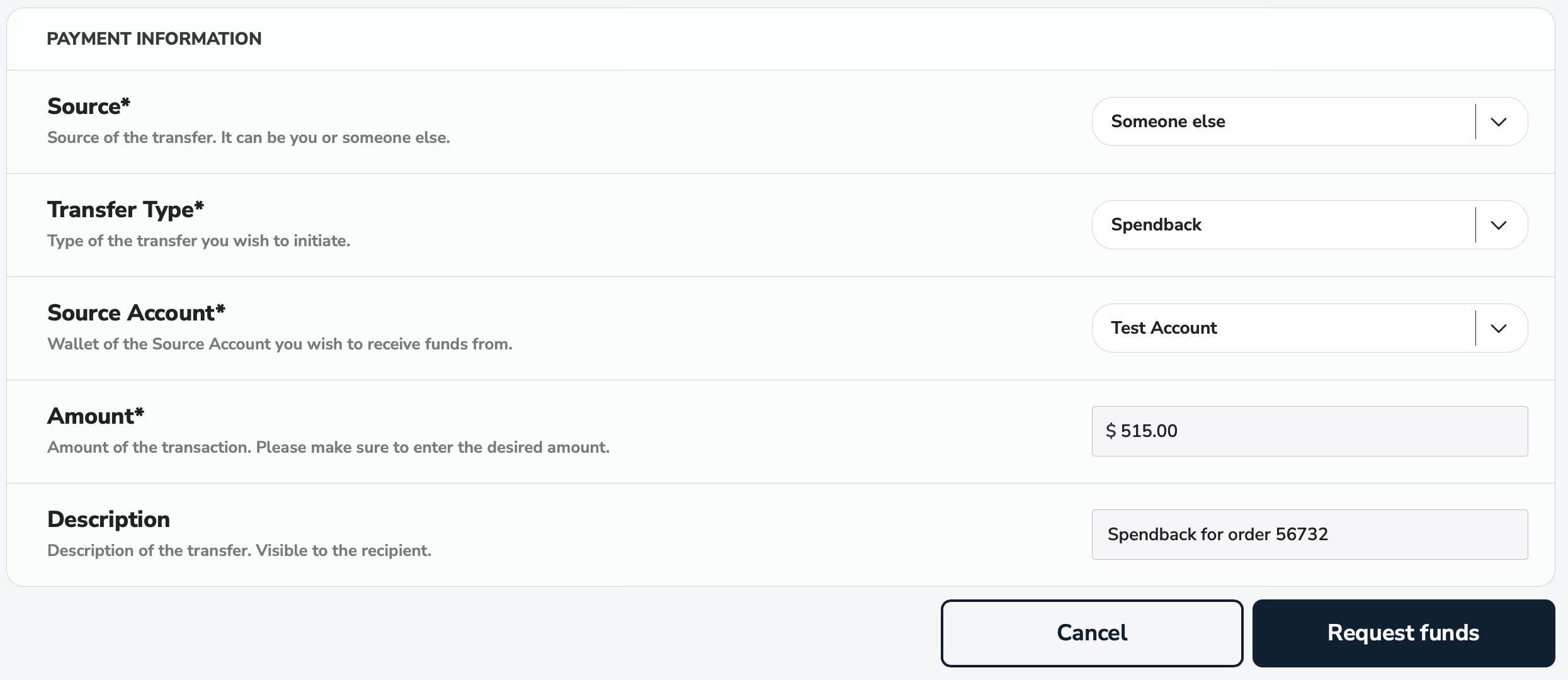
Spendback Transfer
To request money using our spendback functionality, click on the Fund button in your Wallet card.
-
Source: Source of the transfer you wish to initiate. Choose
Someone else. -
Transfer Type: Type of the transfer you wish to initiate. It can be
Spendback. -
Source Account: Choose one of the displayed source accounts you wish to receive money from.
-
Amount: Amount of the transfer you wish to receive.
-
Description: Description of the given Spendback transfer.